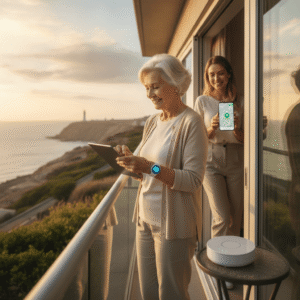


Choosing a home alert system can feel like a big step, especially when you are looking after someone you love. I have spent years talking with families about home safety, and the same worry comes up again and again. People want peace of mind without giving up their independence or their privacy. Working through the questions to ask before choosing a home alert system is a good place to begin, since the answers shape every decision that follows.
At Satu Mare, we spend a lot of time writing about homes full of history and personal treasures. Many of those same homes are where older adults want to live safely for years. A local article on medical alert systems for Montreal households is a helpful starting point for thinking through the home alert system questions that matter most. It is worth a look if you want a structured approach before you talk with a provider.
I have put this guide together around the areas I review with families, including personal needs, monitoring, equipment, costs and privacy. Each part is written from the questions I hear most often when I sit down with a family. You do not need to be a technology expert to follow along, and I have added practical points at the end of each section that you can use right away.
Why a Home Alert System Supports Independent Living
Most older adults want to stay in their own homes for as long as they can. A home alert system gives them a way to call for help without waiting for a family member to check in. It also gives loved ones a sense of calm during a busy day at work or across town.
I have seen how much a reliable system can help after a fall or a sudden illness. Help can arrive quickly, and the person in need does not have to search for a phone in a panic. That fast connection is usually the reason people first start looking into these systems.
Every household is different, though. A setup that works well for a busy family in a townhouse may not suit a retiree who lives alone on a large property. Good planning also means thinking about habits, mobility and comfort with technology. A device that is hard to wear or confusing to use will end up sitting in a drawer, and that helps nobody. When I visit a home for the first time, I try to picture a normal morning there. I think about where the person spends most of their time and which rooms they pass through on the way to the kitchen.
Reviewing Daily Needs and Home Layout
Start by thinking about the person who will use the system every day. Their mobility, routines and health history should guide the choice. A system that fits one person may feel unnecessary to another, so the details matter. When we sit down with a family, this is always the first conversation, because a plan built on guesses rarely lasts. Ask the person what a normal day looks like, from the first cup of tea to the last trip to bed.
- Mobility level, including any history of falls
- Number of floors and rooms in the home
- Whether the person lives alone or with others
- Comfort level with wearing a device or pressing a button
Home layout matters as much as personal needs. A large house may need extra buttons or a base unit in key rooms. A smaller apartment may only need one wearable device. Pay close attention to the bathroom, the bedroom and the staircase, since emergencies often happen in those spots.
Wearable Devices or Wall Units
Wearable pendants and wristbands travel with the person. They work well in most areas of the home, so they suit people who move around often. From what I have seen, people are more likely to keep a pendant on when it feels light and fits under a sweater. A wall unit or base station stays in one place and works best for people who spend most of their time in one area.
Many households end up choosing a mix of both. That approach gives the person a portable option for the yard or hallway and a fixed unit for the living room or bedroom. I often recommend this combination to families who are not sure yet, since it covers the most common spots without adding much complexity.
How Monitoring and Response Services Work
Monitoring does most of the real work in any home alert system. When a button is pressed, a trained operator should answer and respond according to the person’s care plan. Ask how the monitoring center is staffed and whether it runs around the clock. I always want to hear those answers in plain words before I recommend a provider.
Response steps matter just as much. Some services call a family member first, while others contact emergency responders right away. Make sure the plan matches what the person wants, and keep the contact list current so help is never delayed. We have seen that a short review every few months keeps the list accurate, since phone numbers change more often than people expect.
Fall detection is another feature worth reviewing. Some devices use motion sensors to spot a sudden fall and send an alert even when no button is pressed. Check how the sensor performs in homes like yours and how the company handles false alarms.
I look for providers who explain each step in plain language. A good explanation covers what happens after a call is placed, who gets contacted and how the family is kept informed. Clear answers here build confidence, and they show whether the company understands the daily realities of living alone, which is a detail I always look for.
Equipment, Installation and Everyday Use
The equipment should be simple enough for daily use. Look for large buttons, clear voice prompts and a battery that is easy to check. A device that needs frequent charging can be forgotten, and a forgotten device offers little protection. When I test equipment with a family, I ask the person to reach for the button from their favourite chair, since that shows how easy it really is to press in a hurry.
Installation is another point to review. Some systems are plug and play, while others need a visit from a technician. Ask whether the company provides setup help and whether someone will test the system with the household before the first day of service.
- Button range from the bedroom and bathroom
- Speaker and microphone clarity during a test call
- Battery indicator and a simple charging routine
Connection quality also deserves a check. Some systems depend on a landline, a cellular network or a home internet connection. A weak signal can cause delays, so test the device in each room where it will be used. Small problems are much easier to fix during a test than during a real emergency.
Understanding Costs and Contract Terms
Cost is a practical concern for most families. Ask for a full breakdown that covers equipment, setup and the monthly monitoring fee. Clear pricing makes it easier to compare options without guessing what each one includes. A one page summary makes the numbers easier to follow.
Contract length deserves attention too. Some providers require a long term agreement, while others offer month to month plans. Read the cancellation terms closely and ask what happens to the equipment if service ends. A clear end date and a clear exit process are worth more than a small discount.
Confirm whether there are charges for upgrades, repairs or replacement devices. A quote that looks simple at first can change once extras are added. Keep a written copy of everything you agree to, so there are no surprises later. Ask for those charges in writing, even if the answer seems obvious.
I suggest comparing at least a few written quotes side by side. This habit keeps the decision based on details, so the first sales pitch carries less weight. Once the quotes are on paper, the differences are easier to see. I have found that families who do this feel calmer when it comes time to sign.
Privacy, Support and Long Term Reliability
Privacy matters because many systems use location data, voice features or sensor information. Ask how the company stores personal details, how long it keeps them and who can access them. Clear answers help the person feel respected in their own home. I always ask for that information in writing, and I encourage families to do the same.
Customer support is equally important. Find out whether help is available by phone or by email, and which hours the support team keeps. A responsive team can solve small issues before they grow into bigger problems. We suggest calling with a simple test question before you sign, and noting how long it takes to reach a real person.
Finally, think about the long term. Devices age, and software updates can change how a system behaves over time, even when the hardware looks the same. Look into how upgrades are handled and whether the system can grow with changing needs over the years.
I have found that the person using the device feels more at ease when they understand how it works. A short walkthrough with that person, and with anyone who will receive the alerts, is time well spent. I usually suggest booking that walkthrough in the first week, while the setup is still fresh. Then check the device again after the first month, since small habits tend to show up by then.
Making a Thoughtful Choice for Your Home
Choosing a home alert system is a decision about safety, comfort and daily life. A sound approach starts with the person who will use it, then moves to the home layout and everyday habits. From there, compare monitoring services, equipment, costs and support options side by side. Written answers from each provider make it easier to remember what was promised.
Take your time with this process. Talk with family members and with the person who will wear or use the device. Use the points from this guide as a checklist, and give the final choice the time it deserves. A good fit usually becomes obvious once the answers are in hand.
If you want a place to begin, the Montreal article I mentioned earlier is a practical next step. It can help you build a clear picture before you contact providers. Then write down your own priorities and share them with the people who care about your household. With that preparation, you can start your search with confidence and make a choice that supports independence for years to come.